Group Travel Made Easy: 3 Real Scenarios Where WariSaku Handles the Splitting
 Kona4 min read
Table of contents

You get back from a trip, and suddenly someone needs to figure out who paid for what. The hotel bill, the gas, the group dinners, the theme park tickets — it's all scattered across everyone's memories and bank accounts. The longer you wait, the hazier it gets.
Hot spring weekend, barbecue, ski trip — the fix is the same shape every time. Create the group before you leave, and whoever pays logs it on the spot. Do that, and the settlement is done before you're home.
Scenario 1: Hot Spring Getaway (4 People, Weekend, $640 Total)
What Usually Goes Wrong
A weekend getaway has a lot of moving parts: accommodation, dinner, transportation, snacks, maybe a local souvenir stop. When each person pays for something different, you end up with a tangle of IOUs by the end of Sunday. The person who fronted the hotel is waiting on three people. The person who filled the gas tank is doing mental math. And by Monday, nobody wants to be the one sending the "hey, you still owe me" message.
How WariSaku Handles It
For a weekend getaway, the preparation is everything. Create the WariSaku group in the same sitting as the hotel booking and drop the URL in your group chat. No account, no install — everyone just opens the link before departure day.
From there, whoever pays logs it on the spot. When everything's recorded, open the Settlement screen. That's it.
POINT
Create the group when you book the hotel, not "in the car on the way there." Groups that wait usually lose the first highway-stop payment to memory.
Example expenses
| Paid by | Item | Amount |
|---|---|---|
| A | Accommodation (4 people) | $320 |
| B | Group dinner | $110 |
| C | Gas and highway tolls | $80 |
| D | Lunch and souvenirs | $130 |
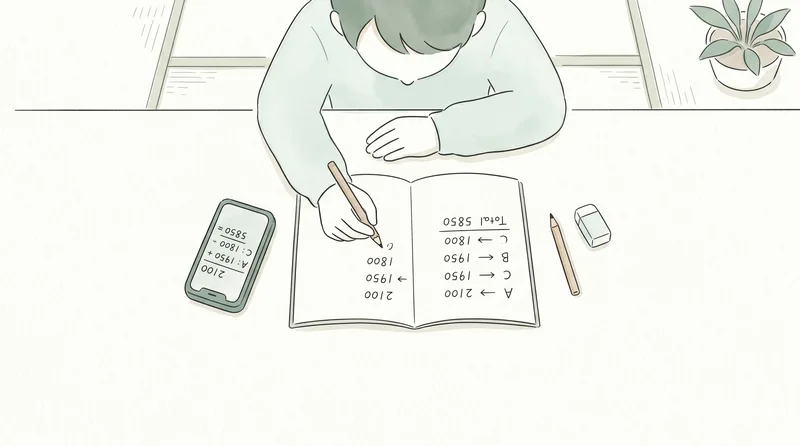
Total: $640 split four ways = $160 each. With everyone paying for different things, one-to-one settling could take up to six separate transfers. WariSaku's minimum-settlement algorithm compresses a four-person group to three transfers at most — automatically, with no manual calculation.
 Related readHow the Minimum-Settlement Algorithm Works (With a Real Example)
Scenario 2: Group Barbecue (6 People, Day Trip, $320 Total)

What Usually Goes Wrong
Barbecues have a lot of expenses and a lot of moving parts. One person does the grocery run, another handles the equipment rental, someone grabs extra drinks on the way, someone else pays for the site. By the time you're packing up, the "I'll sort it later" has already been said three times. The longer it sits, the more awkward it gets to follow up.
How WariSaku Handles It
The tricky part of a barbecue is that the buying is split across several people. With WariSaku, every entry lands in the same shared group no matter who types it — the groceries person, the rental person, and the drinks person each log their own payment, and nothing gets mixed up or lost. Nobody has to collect receipts at the end.
Example expenses (6 people)
| Paid by | Item | Amount |
|---|---|---|
| A | Groceries and supplies | $160 |
| B | Equipment rental | $80 |
| C | Extra drinks | $40 |
| D | Venue fee | $40 |
Total: $320 split six ways = ~$53 each. E and F, who didn't front anything, just pay whatever the Settlement screen shows them. Nobody has to work out "who pays whom" — the settlement sorts itself out.
Scenario 3: Ski or Snowboard Trip (5 People, Weekend, $500 Total)
What Usually Goes Wrong
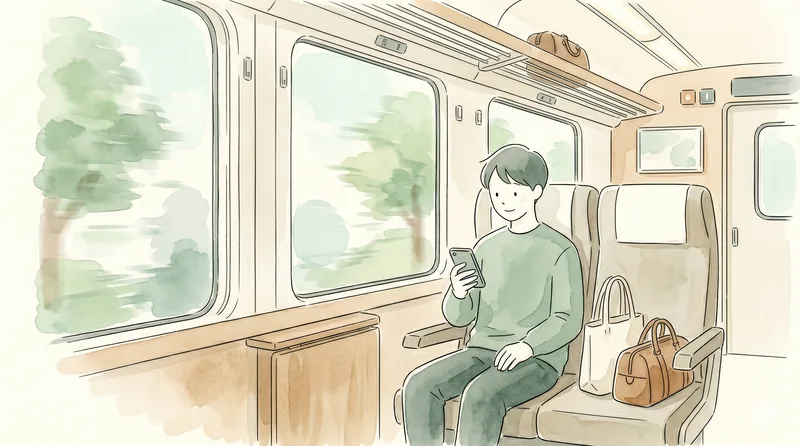
A ski trip runs up big numbers across a lot of categories: lift passes, equipment rental, accommodation, meals, transportation. Often one person coordinates the bookings and ends up fronting a large chunk of the cost. By the time you're driving home, everyone's tired and nobody wants to think about math.
How WariSaku Handles It
Where WariSaku earns its keep on a ski trip is the ride home. Log payments in batches from the lodge or the rest area — gloves off, coffee in hand. Before checkout the next morning, open the Settlement screen, and the group can finish the actual transfers via PayPay, Venmo, or bank transfer in the car before anyone is dropped off. No one gets stuck sending the "you still owe me" message next week.
Example expenses (5 people)
| Paid by | Item | Amount |
|---|---|---|
| A | Gas and tolls | $100 |
| B | Lift passes (all 5) | $165 |
| C | Ski and gear rental (all 5) | $135 |
| D | Accommodation and meals | $100 |
Total: $500 split five ways = $100 each. Four people all paying for different things would normally create a web of transfers. WariSaku shows the minimum set of payments — at most four for a five-person group, often fewer — and tells each person exactly who to pay.
Frequently Asked Questions
Q: Can we start using WariSaku mid-trip?
Absolutely. Creating a group takes under a minute. If you didn't set it up beforehand, you can start logging from wherever you are. For expenses that already happened, just enter them manually with the correct date.
Q: Does the organizer have to enter everything?
No. Anyone with the group URL can log expenses. The more people who contribute entries, the lighter the load for whoever organized the trip — a phone and a browser are all anyone needs.
Q: What if some members want a different split (not equal)?
WariSaku has a weighted splitting feature. You can assign multipliers per member — for example, the trip organizer takes 1.5x and everyone else takes 1x — and the app recalculates shares automatically. The setup is covered in the advanced-features section of the WariSaku four-step guide.
Wrap-Up
Hot springs, barbecue, ski slopes — the scenery changes, but the pattern doesn't. The rule for group travel splitting is: everyone records, the algorithm settles. Whoever pays logs it in the moment, and at the end the app hands you the shortest possible list of transfers. That's the whole trick to never sending an awkward payment reminder again.
Next time a trip lands on the calendar, create the group when you make the booking and drop the URL in the chat. Your pre-trip prep is done.
Related articles
Travel & Events
International Trip with Friends? Here's How to Handle the Currency Chaos
May 28, 2026

Travel & Events
Theme Park with Friends: The Smart Way to Split Every Ticket, Meal, and Souvenir
May 28, 2026

Travel & Events
Group Dinner Payments Without the Chaos: A Practical Guide for Organizers
May 28, 2026